A goal built from you
Roughly 30–35 ml per kilo of body weight, banded by age and adjusted for sex, plus an allowance for the steps and workouts you logged today. The whole calculation is below.
Not a flat eight glasses. Sip Water works out a daily target from your weight, your age and how much you actually moved — then adjusts it based on how the day felt. On your iPhone and on your wrist.
iOS 17+ · watchOS 11+ · No account required
One tap logs a drink. Everything else on this page happens without you asking.
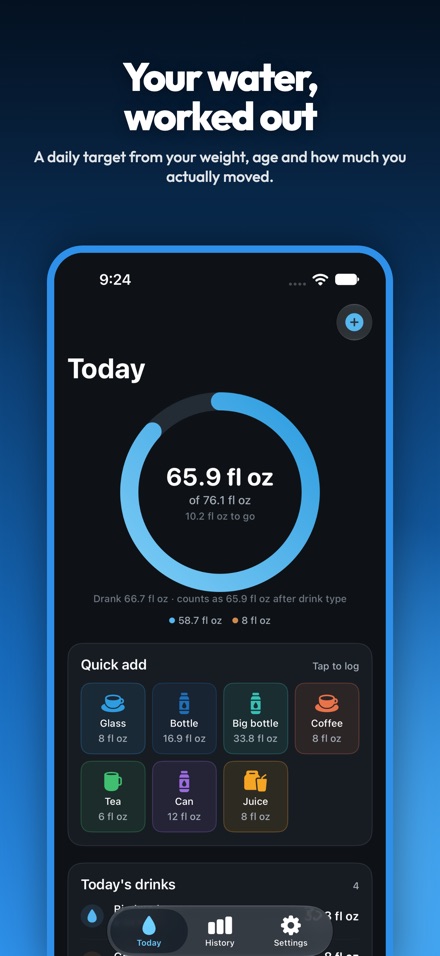
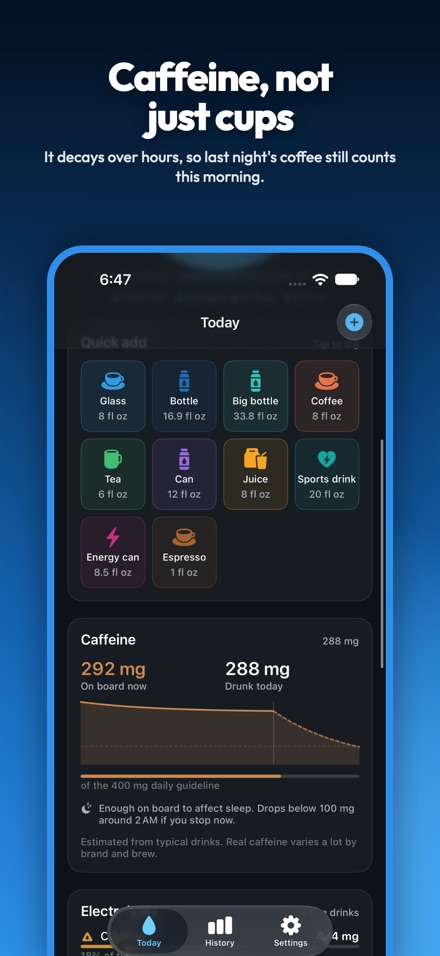
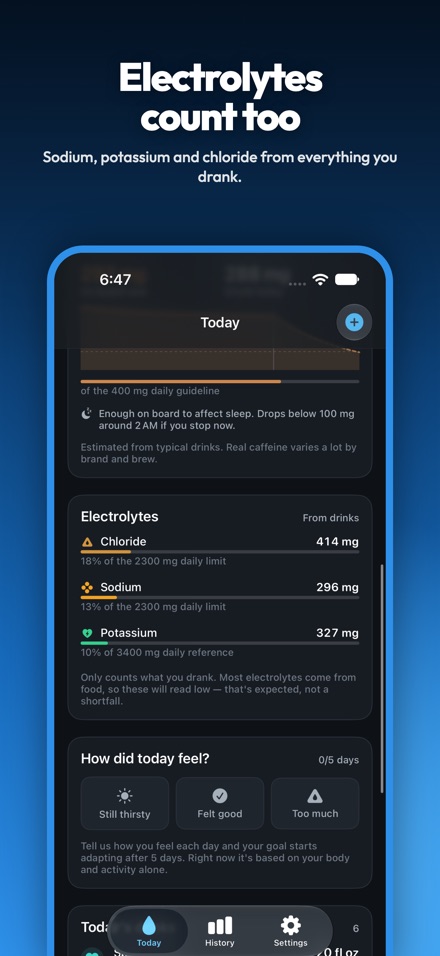
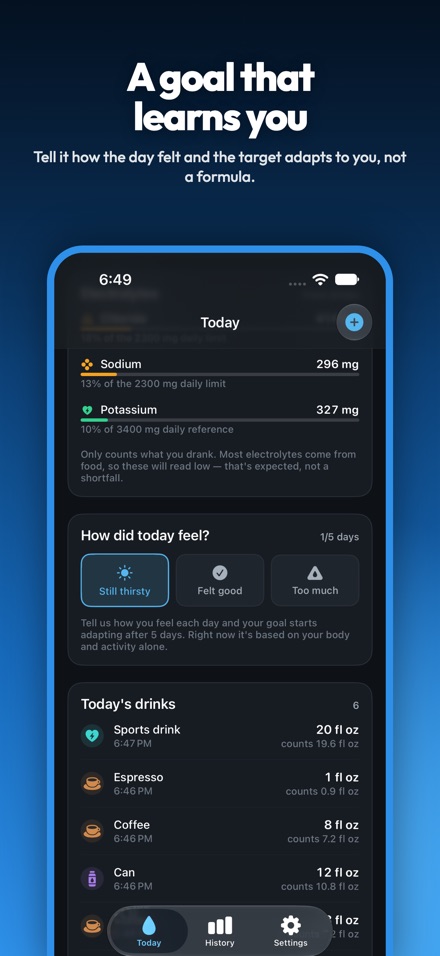
Every number on screen can be traced back to something you can check.
Roughly 30–35 ml per kilo of body weight, banded by age and adjusted for sex, plus an allowance for the steps and workouts you logged today. The whole calculation is below.
Each day you can say whether you were still thirsty, felt good, or had too much. Those answers nudge tomorrow's target — slowly, within strict limits, and never more than half a litre either way.
Water counts at 100%. Tea, juice, coffee, soda and energy drinks count at 95% down to 89%, and the app tells you so on the screen rather than quietly discounting you.
Coffee at 8am is not coffee at 8pm. Sip Water tracks how much caffeine is still on board, flags the 400 mg daily guideline, and tells you when you will drop back under 100 mg.
Reads your weight, date of birth, biological sex, steps and workouts to set the goal. Writes what you drink back as Water so your other health apps see it. Both directions are off until you turn them on.
The Apple Watch app logs drinks with your phone off, out of range or left at home, and syncs up when they meet again. Complications for the watch face and Smart Stack are included.
The app shows this same breakdown in Settings, line by line, so you can see where the number came from.
| Part of the goal | How it is worked out |
|---|---|
| Baseline | body weight × ml per kg × a small adjustment for sex |
| ml per kg, by age | under 18: 40 · 18–30: 35 · 31–55: 33 · 56–70: 31 · 71+: 30 |
| Adjustment for sex | male ×1.00 · female ×0.95 · other or unset ×0.975 |
| Steps | +30 ml for every 1,000 steps above 4,000 |
| Workouts | +12 ml per minute of logged workout |
| Activity cap | the two above add at most 1,500 ml |
| Learned from feedback | ±40 ml per net vote over 14 days, capped at ±500 ml |
| Final result | rounded to the nearest 50 ml, held between 1,500 and 5,000 ml |
No weight in Health? The app assumes 70 kg and says so on screen. No date of birth? It assumes 35.
This is not a promise about how we behave. It is a fact about how the app is built.
Every drink you log, your cups, your weight and date of birth, your daily feedback and your streaks. All of it, all the time.
Two places, both yours: Apple Health, if you switch it on, and your paired Apple Watch over Apple's direct device-to-device link. Neither one involves us.
If you back your iPhone up to iCloud, your Sip Water data is in that backup, and if you have Health enabled in iCloud, Apple syncs Health for you. Both are your settings, not ours.
The full text is in the Sip Water privacy policy, alongside the Sip Water terms of use.
There is no App Store listing yet, so there is nothing to tap. The app is built and in internal testing. Email [email protected] with the subject "Sip Water launch" and we will write to you once, when it is live.
No. There is no sign-in, no email, no password and no profile on a server. Open it and start logging.
Yes. Health is optional in both directions. If you leave it off, enter your weight and date of birth in Settings and the goal is calculated from those — you just lose the steps and workout allowance.
Body mass, date of birth, biological sex, step count and workouts. That is the whole list, and it only reads them after you turn the switch on.
One thing: your drinks, as Water. Deleting a drink in Sip Water deletes the matching Health sample too. It does not write caffeine, electrolytes, workouts or anything else.
The build as it stands today has no subscriptions, no in-app purchases and no ads. We have not set pricing for launch, so we are not quoting any.
Deliberately not. Alcohol is Sip's job, and keeping the two apart keeps this one simple.
Yes, local ones, and they are off until you turn them on. You pick the interval between 30 minutes and 4 hours and set quiet hours — 10pm to 7am by default. Nothing is pushed from a server, because there is no server.